Automatic detection
No make, model or engine selection – the file content is checked against all scripts at once.
Desktop app for workshops & tuners
Drop the original file, M-BYTE detects the ECU automatically and shows every solution available instantly – Stage 1, Stage 2, DPF, EGR, AdBlue, DTC off and more. All options included, stage tuning per file with credits.
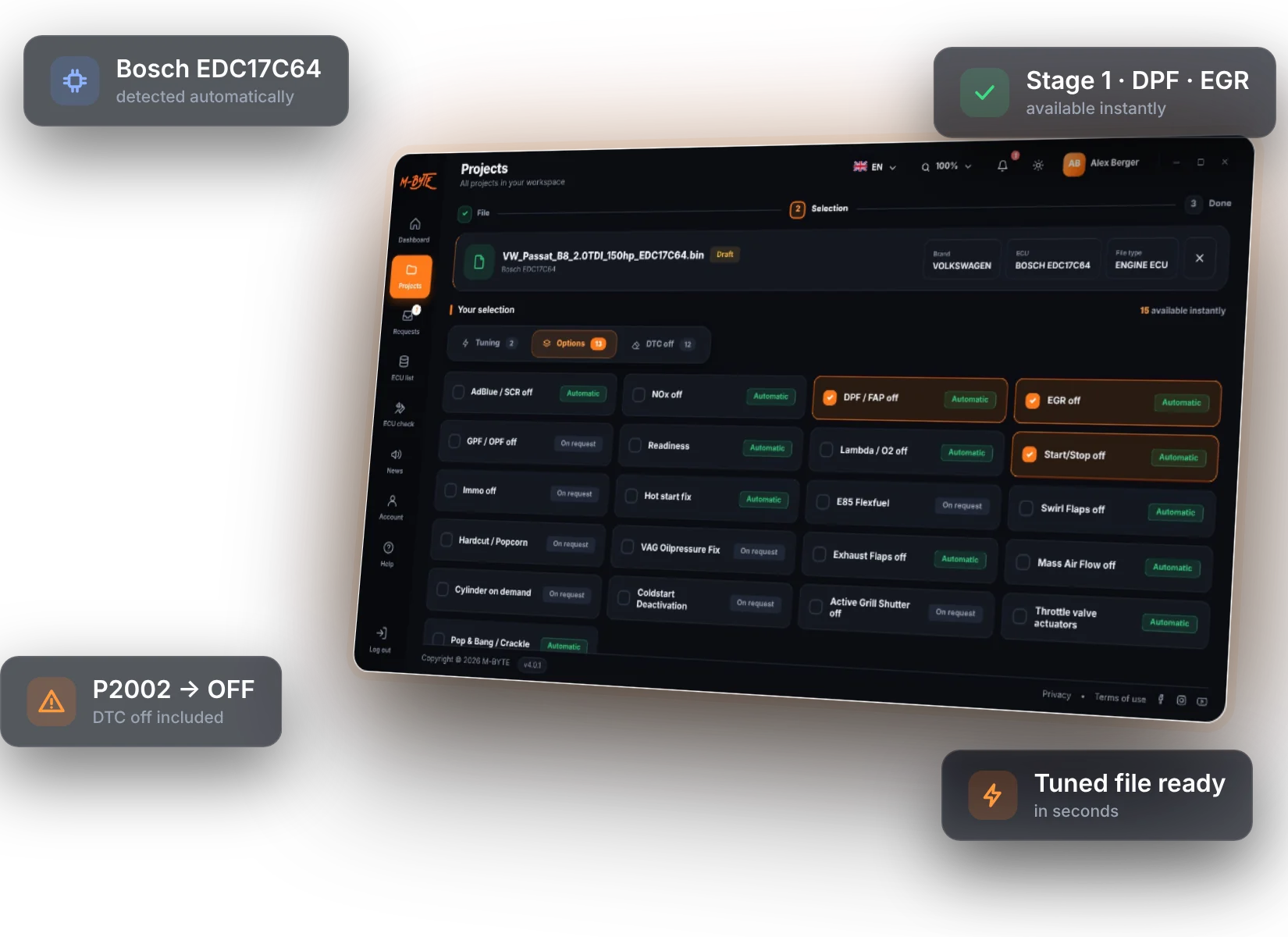
The complete workflow in M-BYTE 4: dashboard, upload with automatic detection, Stage + options + DTC off in one version, projects, free requests and the ECU check.
Four steps – usually done in under a minute.
Any read from your tool – Autotuner, KESS3, Flex, CMD and others. Make, ECU, software and part number are detected from the file.
Green = available instantly. Pick Stage 1 or 2 and the options you need – DPF, EGR, AdBlue, NOx, Start/Stop …
Read the fault codes from the file and switch off exactly the codes you need – included in every plan.
The tuned file is ready in seconds. Write it back to the vehicle with your own tool.
Built on the scripts of our own file service, developed and tested by professional calibrators.
No make, model or engine selection – the file content is checked against all scripts at once.
Stages and options that match your file are shown in green and available immediately.
Read the DTC list from the file, search, filter and switch off single codes.
Gearbox files are recognised automatically – only gearbox solutions are shown.
Not available yet? Send a free request from the app – our tuning team adds it within 24 hours and you create the file in the app as usual.
Fixed monthly or yearly price with all options and DTC off. Stage tuning per file: cars 2 CR, trucks & agricultural 3 CR.
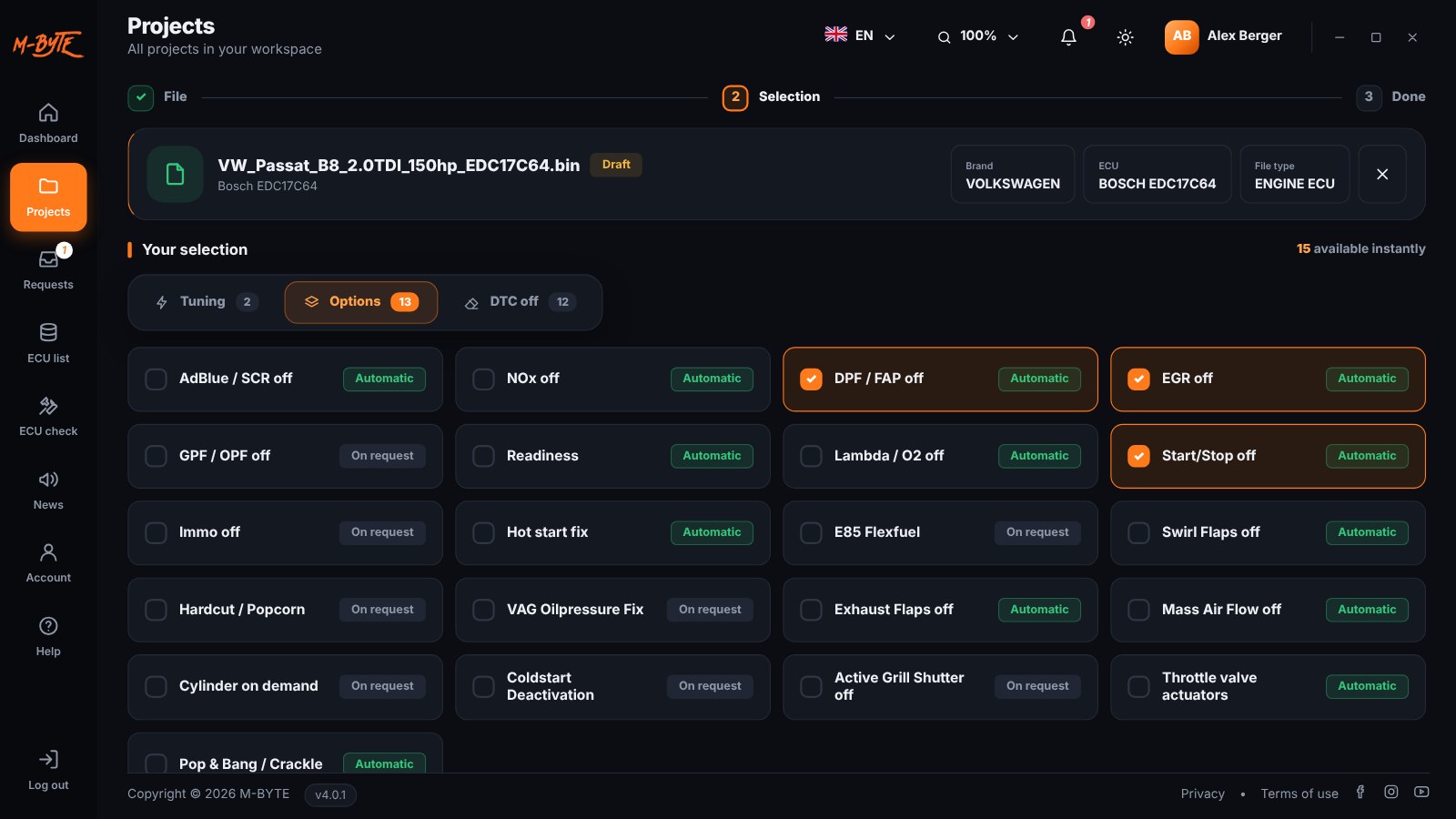
Stages, emission and comfort options, gearbox tuning and DTC off – for cars, trucks, agricultural machines and bikes.
Missing a solution? Request it directly in the app. · View the list of supported ECUs →
Open the original or any version of your project, change the maps in a table or 3D view and save the result as a new version. Maps are only shown when they are known for your software – no guessing.
Load your A2L: all entries with search plus a quick list of the important maps. The A2L stays on your computer.
No A2L? If a map pack exists for your software, you get the important maps with clear names – driver’s wish, torque and smoke limiters, boost, rail pressure, injection and more.
Values and axes in physical units (Nm, rpm, hPa, mg/stroke …) with clear descriptions in your language. Change cells by %, by value or type them in, with undo.
Viewing and editing are free. 2 CR are charged only when you save the tuned file – once per software version. If nothing matches, nothing is charged.
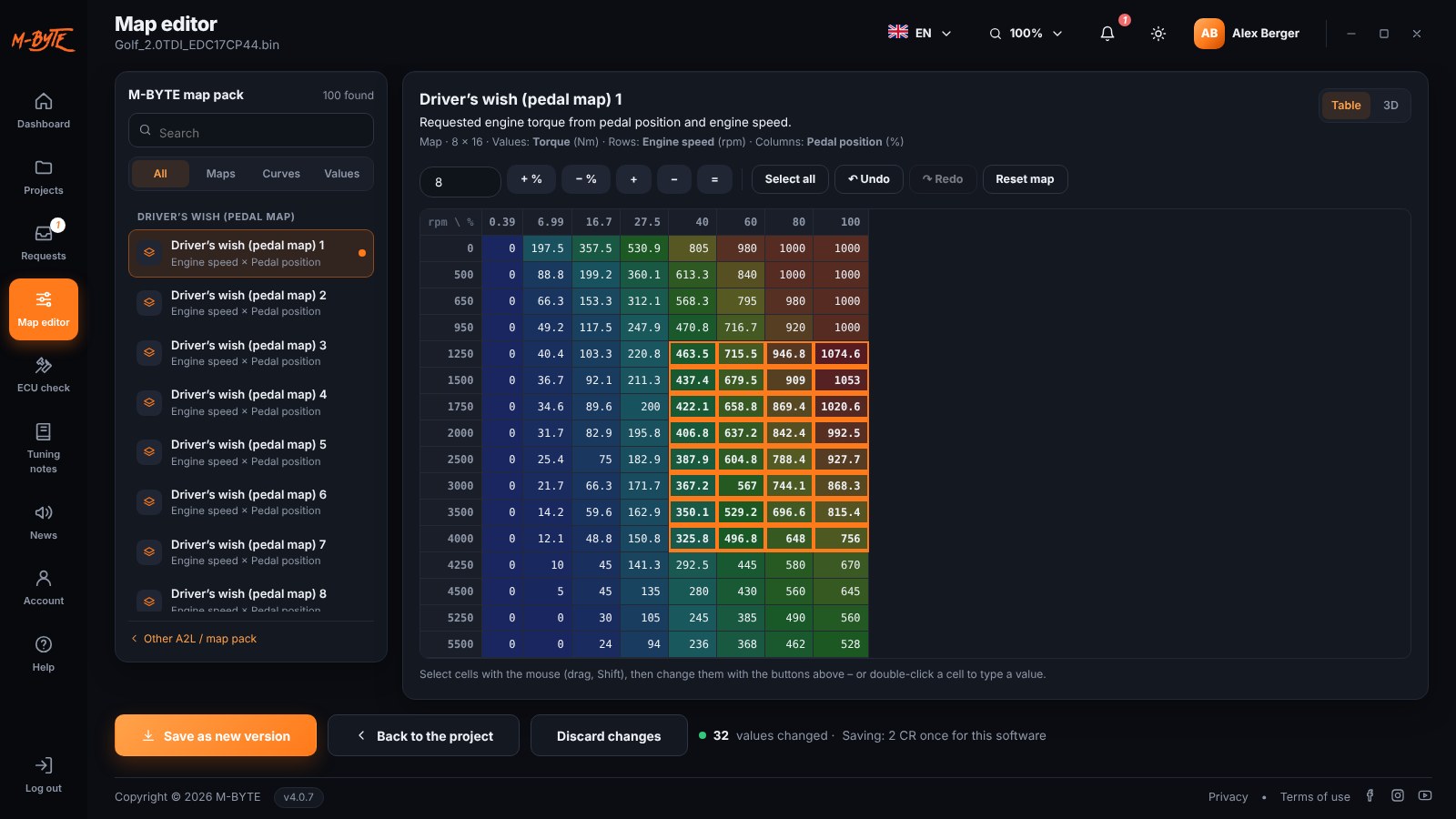
Unsaved changes are kept on your computer – e.g. if you need to buy credits first. Changes to a file are your own responsibility.
All options and DTC off are included in the plan. Stage tuning is paid per file with credits.
Passenger cars and vans
Cars, trucks, agricultural & construction machines, bikes
Buy credits in your account (packages of 5, 10, 20 or 50 CR) – paid by card with invoice. Downloading the same file again is free. Requests for missing solutions are free – you only pay when you create the file.
Prices in EUR. Subscriptions are paid by card and renew automatically at the same price. Option files: one file counts once, no matter how many options. Limits reset at midnight.
The app compares the content of your original file with all scripts of our file service. You do not need to choose make, model or engine – matching solutions appear in green instantly.
All scripts are developed and tested by professional calibrators with more than 20 years of experience before they are made available in M-BYTE.
Send a free request from your project. Our tuning team adds the solution within 24 hours – you get a notification (app + e-mail), open the project again and create the file as usual.
Options like DPF, EGR or AdBlue and DTC off are included in your subscription. Stage tuning costs credits per file: 2 CR (€20) for cars, 3 CR (€30) for trucks and agricultural machines. You buy credits in your account in advance; the app shows the price before the download and charges only when the tuned file was created. Downloading the same file again is free.
Stage tuning has no daily limit – every tuning file is simply paid with credits, options in the same file are included. Only option-only files are limited to 10 per day: one file counts once, however many options you choose. The limit resets every day at midnight.
Cars covers passenger cars and vans. Full covers all vehicle types: cars, trucks, buses, agricultural and construction machines and bikes.
M-BYTE works with the file, not with the vehicle. Read the ECU or TCU with your own tool (e.g. Autotuner, KESS3, Flex, CMD), load the file into M-BYTE and write the tuned file back with your tool.
One licence can be activated on one Windows PC.
You pay by card. Monthly and yearly plans renew automatically at the same price. To cancel, contact us before the next renewal.
Viewing and editing maps is free. When you save the tuned file, 2 CR are charged once per software version (own A2L or M-BYTE map pack) – further saves for the same software are free. If your A2L does not match or no map pack exists, nothing is charged.
Create your account, choose a plan and download M-BYTE for Windows.
Questions about plans, reseller access or technical support? We are happy to help.
Write to us: info@m-byte.com